
Once all of the trainees user accounts are created and added to the class team the next step is to generate the parent links for mentors / assessors to access the trainees OneNote section.
Please Note: These links MUST be opened using an incognito window else you will receive a permissions error. Further guidance on this can be found in this article: Opening an Incognito Window
- To create the parent links first make sure you are an Owner of the relevant Team.
- Open the and navigate to Class Notebook
- Click Open in Browser
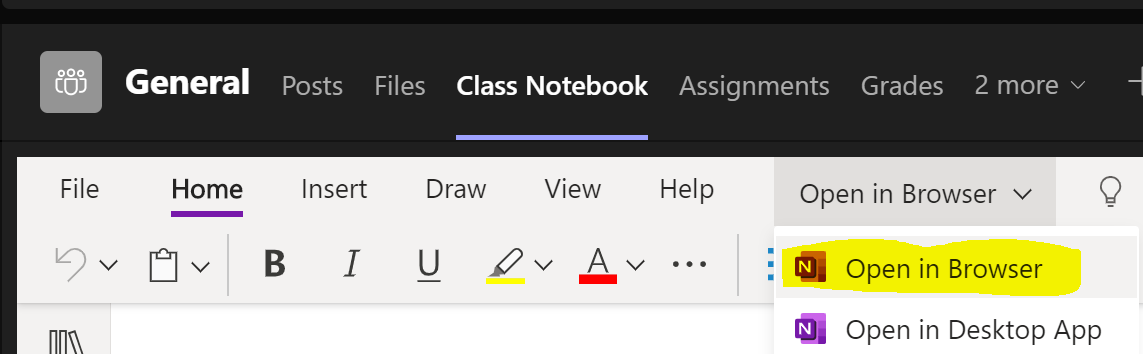
- Click the Class Notebook tab again and then click the diary icon towards the right of the toolbar

- Login with your camteach account.
- Click Parent & Guardian Links
To generate a file with ALL students:
- Click All Students then Get Link, a file containing all the parents links will be downloaded.
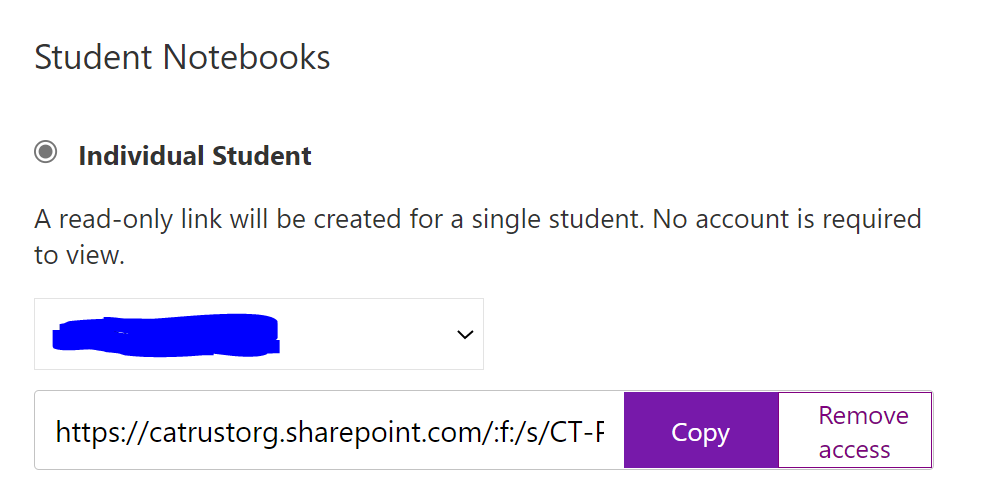
To generate an individual student:
- Click Individual student then select the student from the dropdown, leave the screen a few seconds to find the link.
To generate a content library link:
- Click Content Library then copy the link shown
Comments
0 comments
Article is closed for comments.