
Staff and Students at CVC receive a license for Microsoft Office 365, allowing the latest versions of the MS Office applications to be accessed online via a web browser and installed on a personal Windows or Mac computer.
Accessing the Office 365 portal
To access the Office 365 portal, from where the applications can be run directly, or downloaded.
1. Open a web browser and go to https://portal.office.com
2. Log in with your full e-mail address and password.
Downloading and Installing the Office 365 applications.
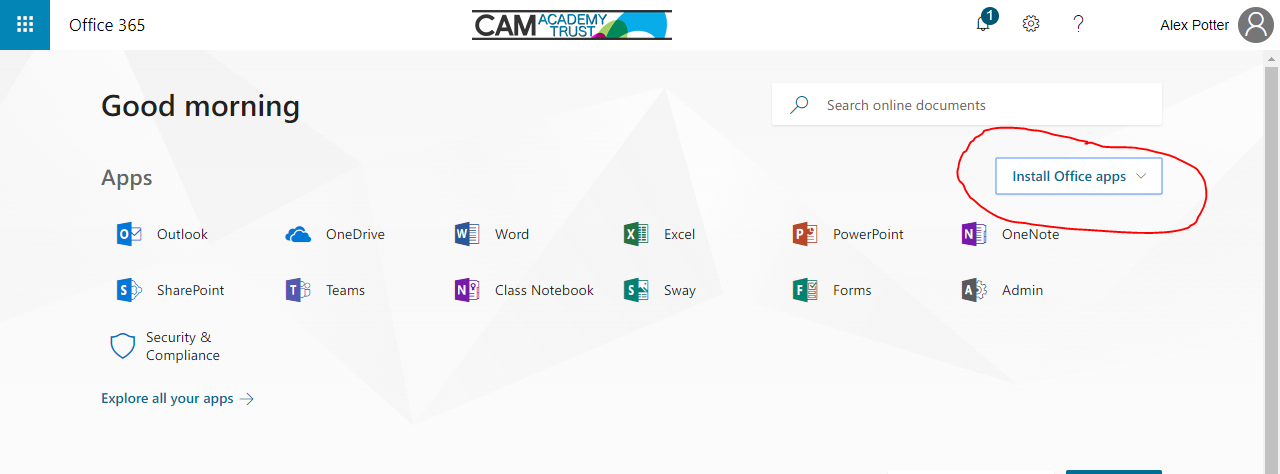
Having connected to the o365 portal, the option to Install Office apps should be available.
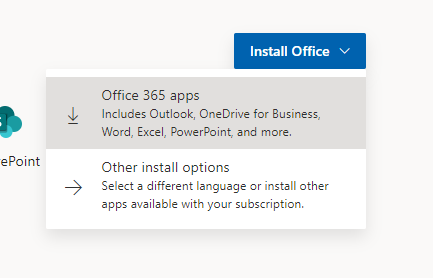
Press “Office 365 apps”
Follow on-screen instructions for your browser
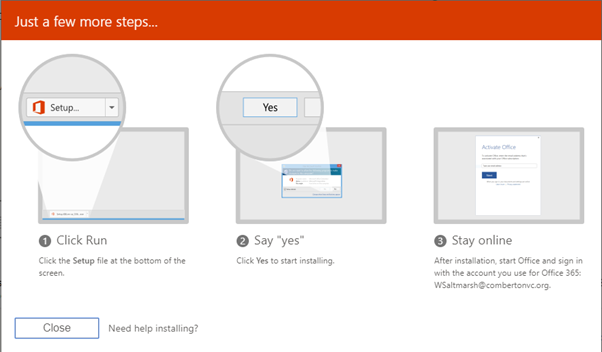
Selecting the highlighted option will download the Office installer to your computer. Running this file will download and install the Office applications of your choosing.
Comments
0 comments
Please sign in to leave a comment.