
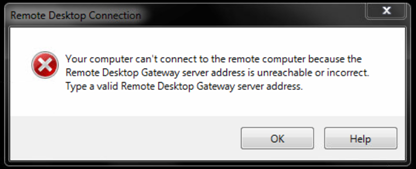
When I log in and select the CAT Remote Access icon I get a message saying:
'Your computer can't connect to the remote computer because the Remote Desktop Gateway server address is unreachable or incorrect. Type a valid Remote Desktop Gateway server address.'
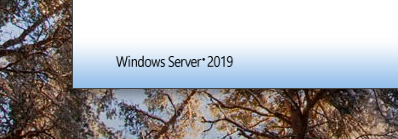
This happens when you type the remote access address (https://remote.catrust.co.uk/) into your browser and cached version of the page is shown. This is showing the old version of our remote access, you will probably see in the bottom left of the login screen the works Windows server 2016 rather than the picture below saying Windows Server 2019
To resolve this you need to refresh your browser while hold down the CTRL key on your keyboard.
EDGE:
Hold down CTRL and press this button across the top of your browser with the website https://remote.catrust.co.uk on the screen

CHROME:
Hold down CTRL and press this button across the top of your browser with the website https://remote.catrust.co.uk on the screen

INTERNET EXPLORER:
Hold down CTRL and press this button across the top of your browser with the website https://remote.catrust.co.uk on the screen

Failing that you'll need to completely clear your browser cache which is done by:
EDGE:
- Click on the three dots in edge in the top right

- Select Settings
- Privacy and Security
- Click on choose what to clear
- Ensure what is selected is as below
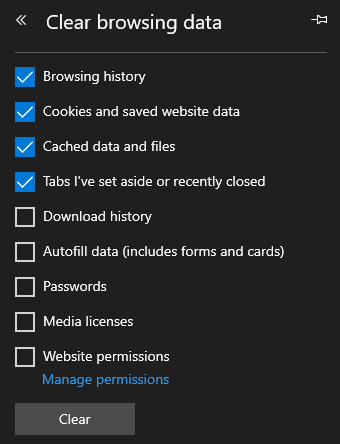
- Click on Clear
CHROME:
- Click on the three dots in the top right of Chrome

- Select More Tools
- Select Clear Browsing History
- Click on Clear Data
Comments
0 comments
Please sign in to leave a comment.