Skip to main content
Uploading content to stream
Russell Challis
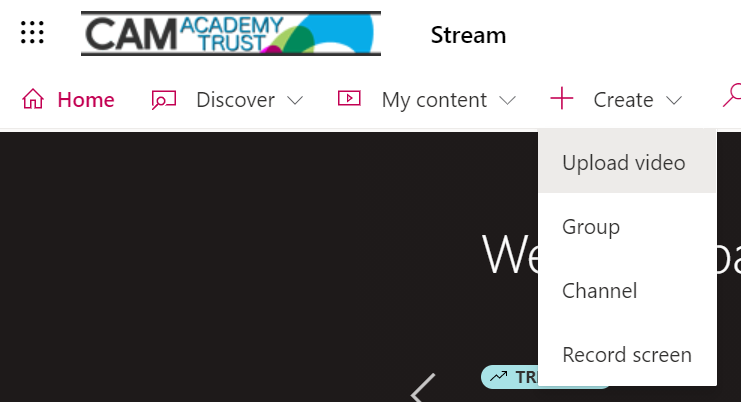
- Browse for the video file you would like to upload.
- Allow a few minutes for the video to upload, once completed the following box will be displayed.
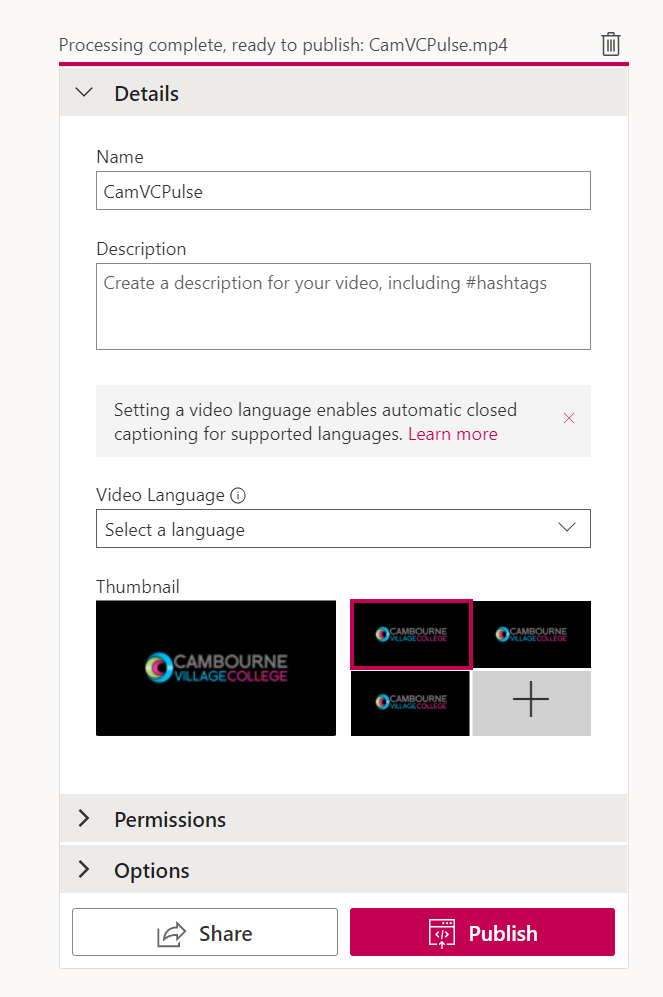
- Click "Permissions"
- In the search box, search for the user(s) or group(s) you would like to grant permissions to view the video.
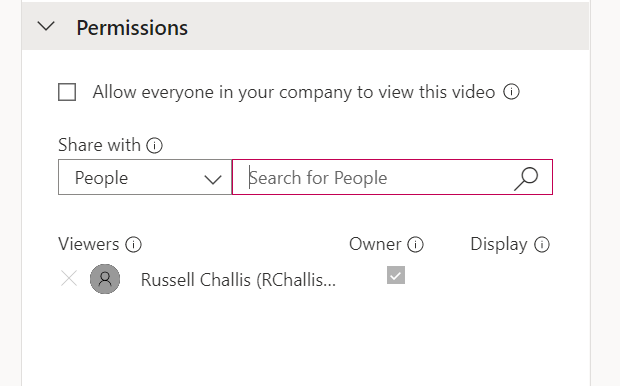
- When you have finished click "Publish".
- To share the video click the share button and copy the link provided.

Comments
0 comments
Article is closed for comments.