
Once you're setup with MFA, you will then be required to use it to sign in when signing into a new application, or from a new device/location.
Signing into an application and device combination you've used recently will not prompt you for 90 days.
How to sign in
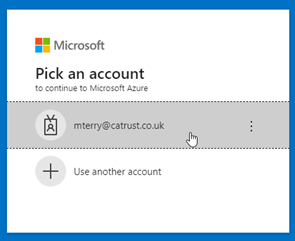
Sign in as normal, Microsoft may have remembered your account details (as they have mine, below):
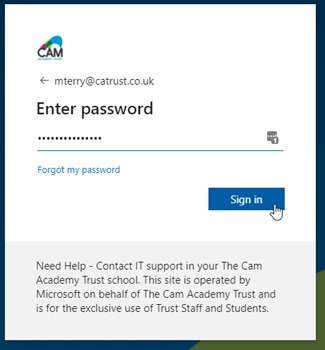
Enter your password as normal > Select “Sign in”.
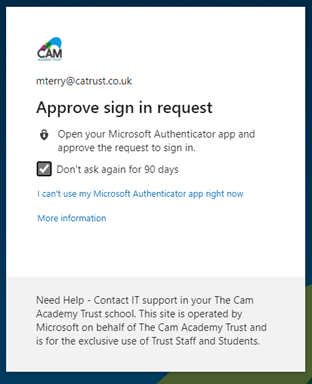
You’ll now be asked to approve the sign in from your phone. You can check “Don’t ask again for 90 days” so you're not prompted every time (unless something changes).
Once your sign in is approved you can continue as normal.
Please note, this will need to be done initially for each app (Teams, Outlook, OneDrive, Web Browser) but once complete you won't be prompted again for 90 days for each application.
Comments
0 comments
Article is closed for comments.