
To add bookmarks to your home screen you must be using Safari.
- Open the page you wish to add to your home screen.
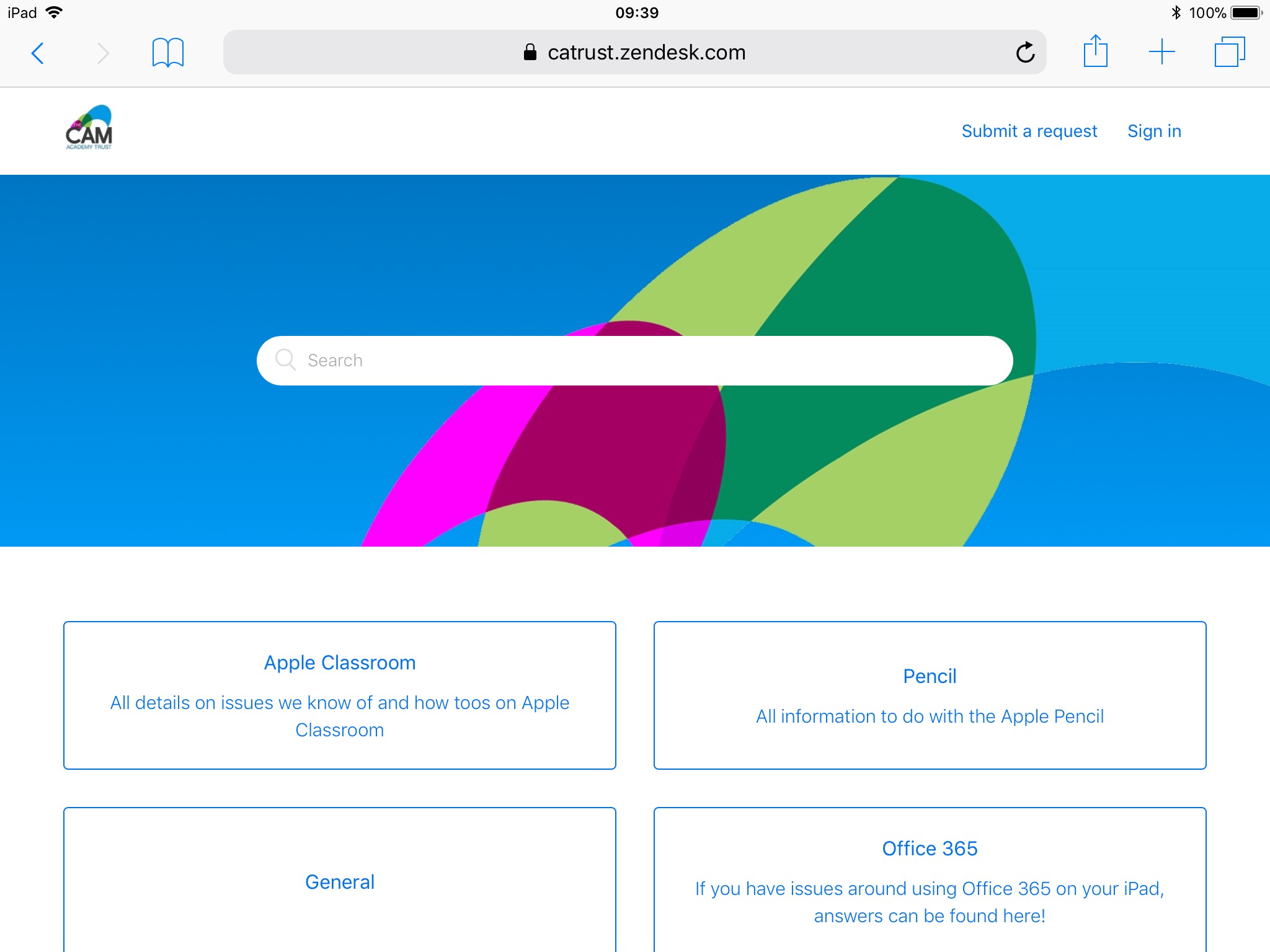
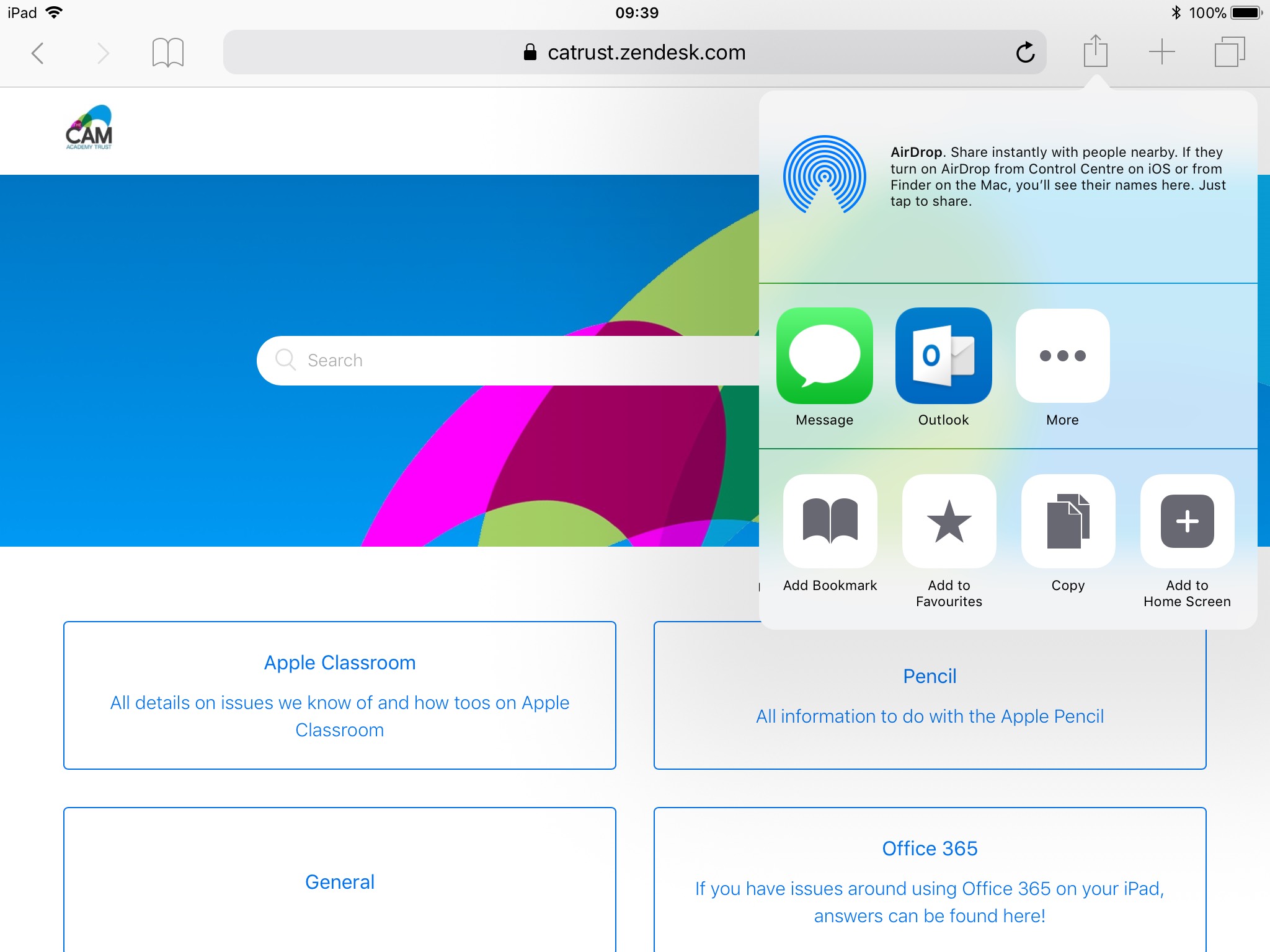
- Click the Share icon on the right of the address bar. Then scroll the bottom menu along until you see "Add to Home Screen".
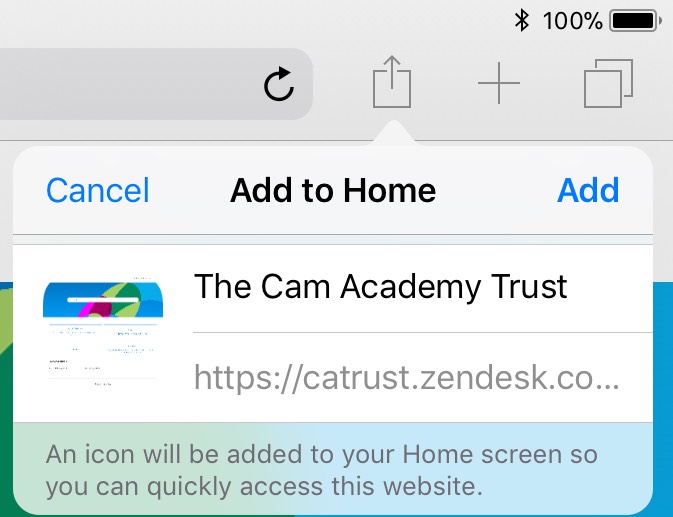
- The following dialog box will then appear allowing you to customize the name of the icon. If the website has added an icon to their site this will appear on the icon.
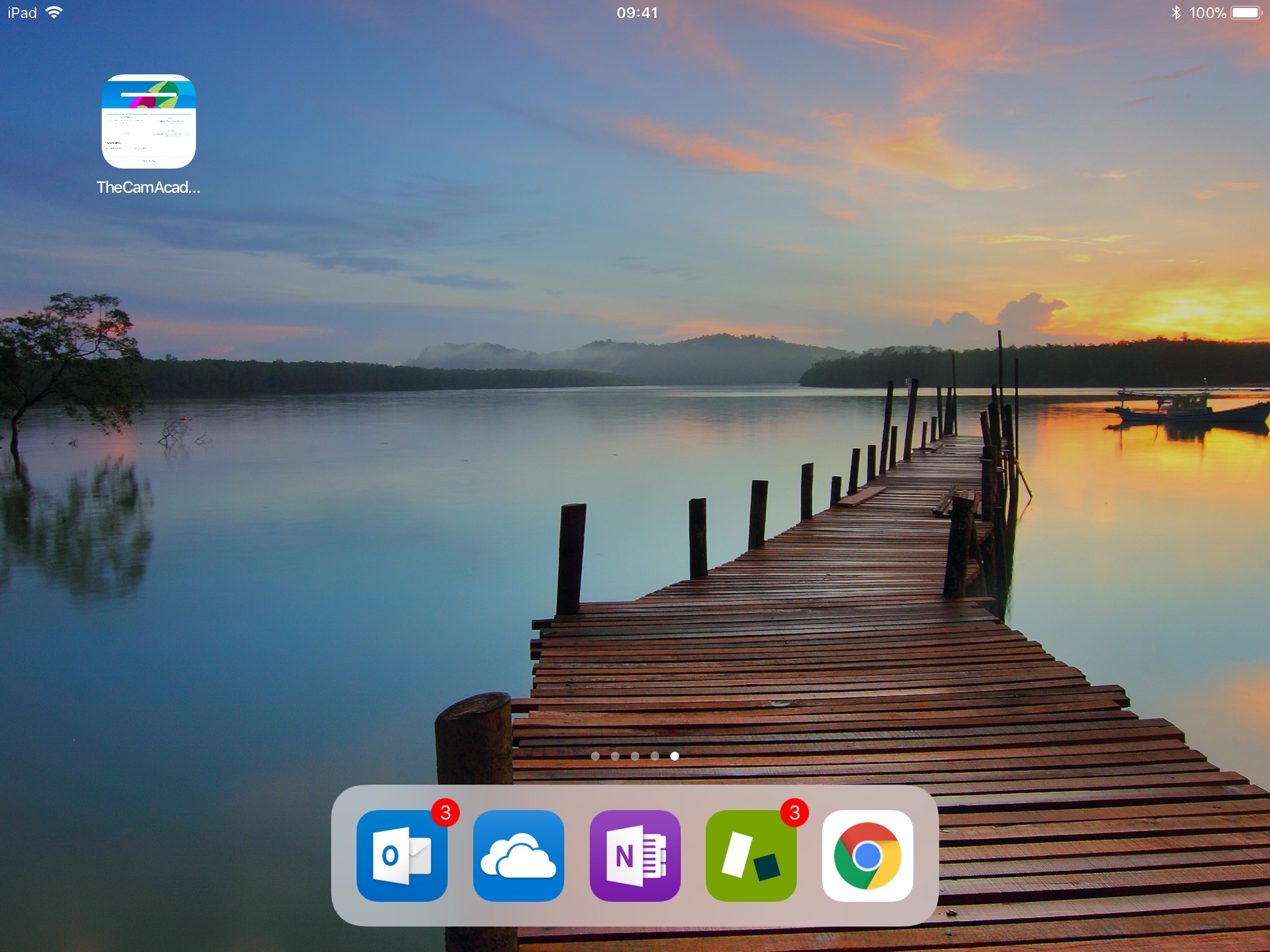
- After clicking "Add" the icon will appear on your home screen.
Comments
0 comments
Article is closed for comments.