
1. You will need to connect your iPad to a computer (Mac or Windows) with iTunes installed
2. Press and hold the power button and home button for about 15 seconds until the screen changes to this (It must be connected to the computer to do this)
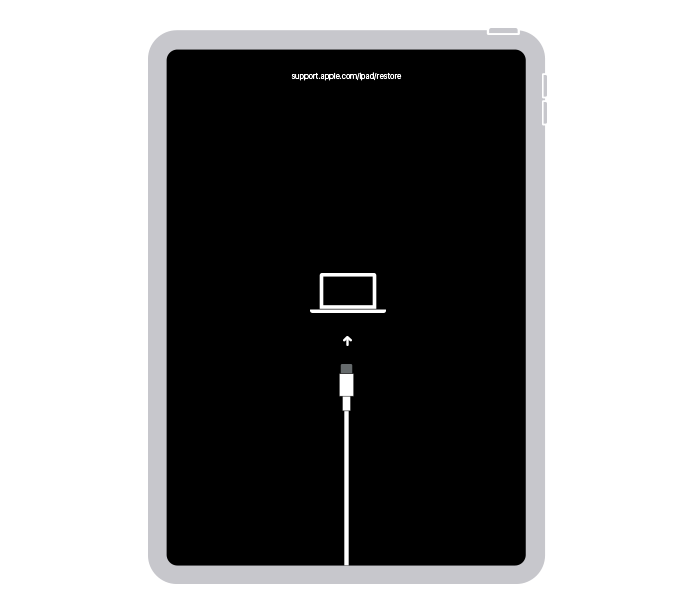
3. Once this is done iTunes will come up with a dialog box 
Press restore.
4. Then a second Dialog box will pop up

Press Restore and Update.
5. This will then download the software and then wipe the iPad.
This will take about 20-30 minutes depending on the speed of your internet.
6. When your iPad is back on the welcome screen this is completed.
Comments
0 comments
Please sign in to leave a comment.