
To remove the "Get Outlook for iOS" message from the bottom of your email footer first click the 3 lines in the top right corner of the outlook app.
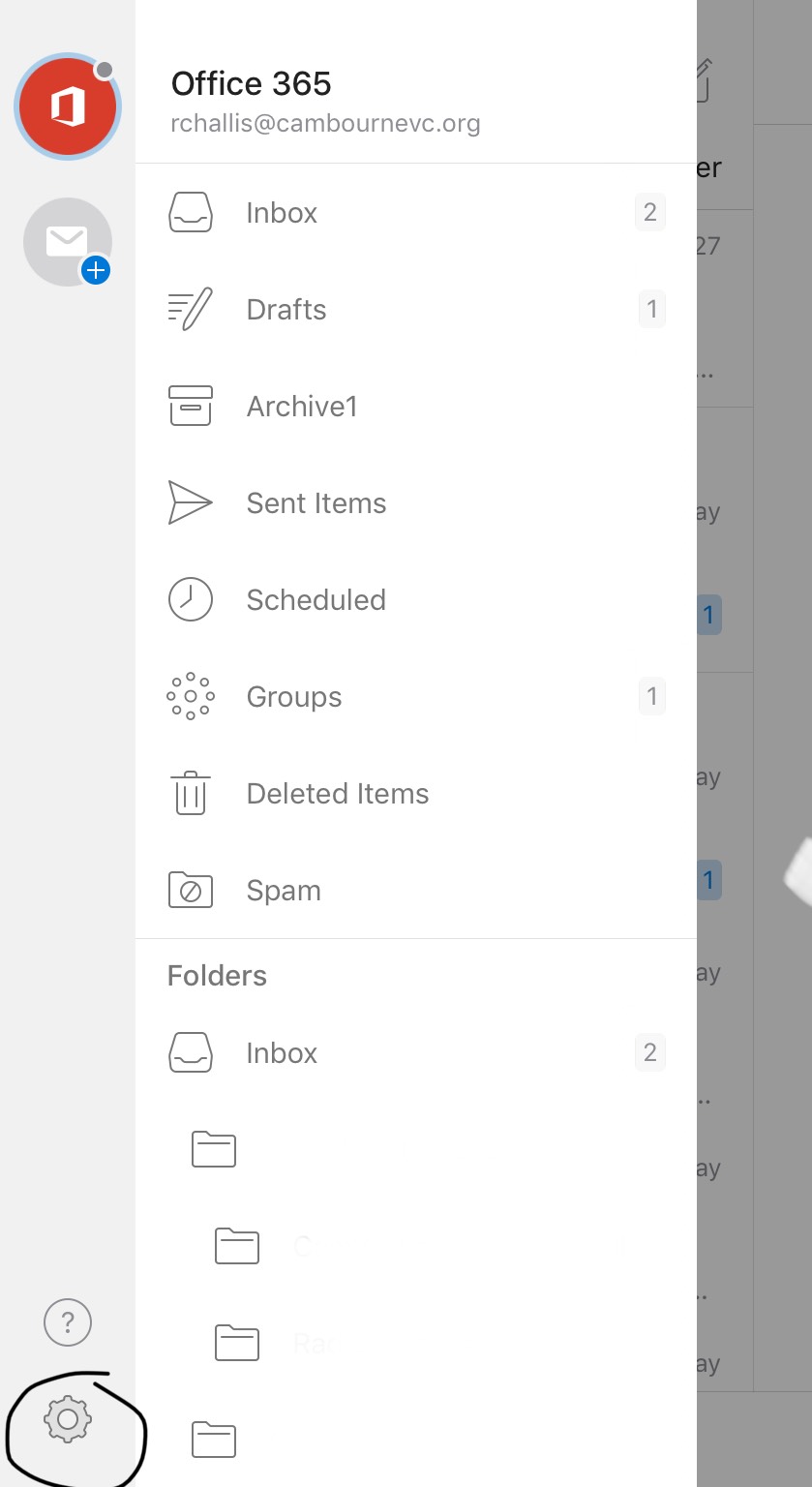
- Click the Cog in the bottom right corner.
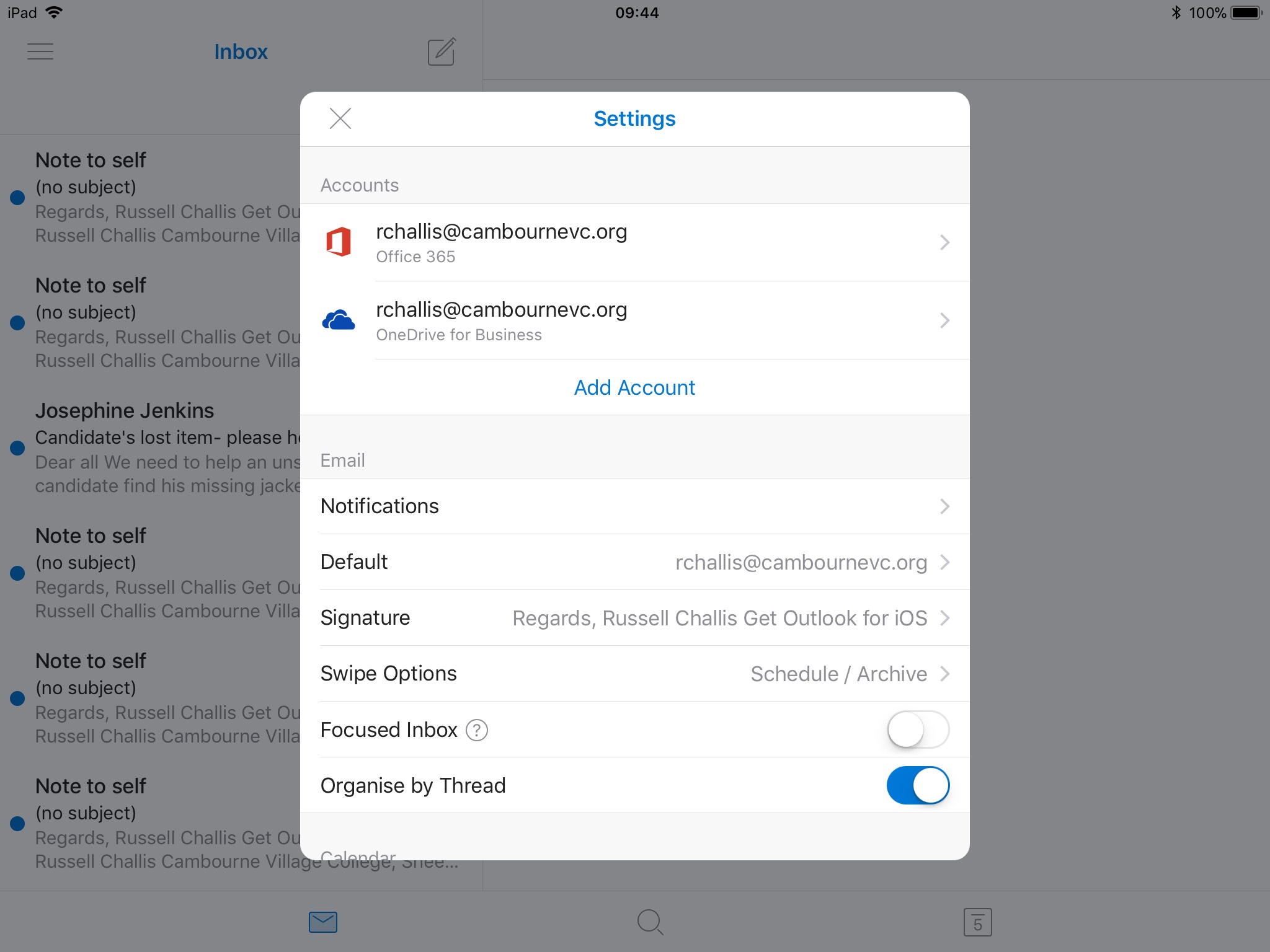
- In the box shown above select "Signature". Remove all content from the box and click the back arrow in the top left.
Comments
0 comments
Article is closed for comments.