
Instructions for Outlook desktop can be found here
Mobile
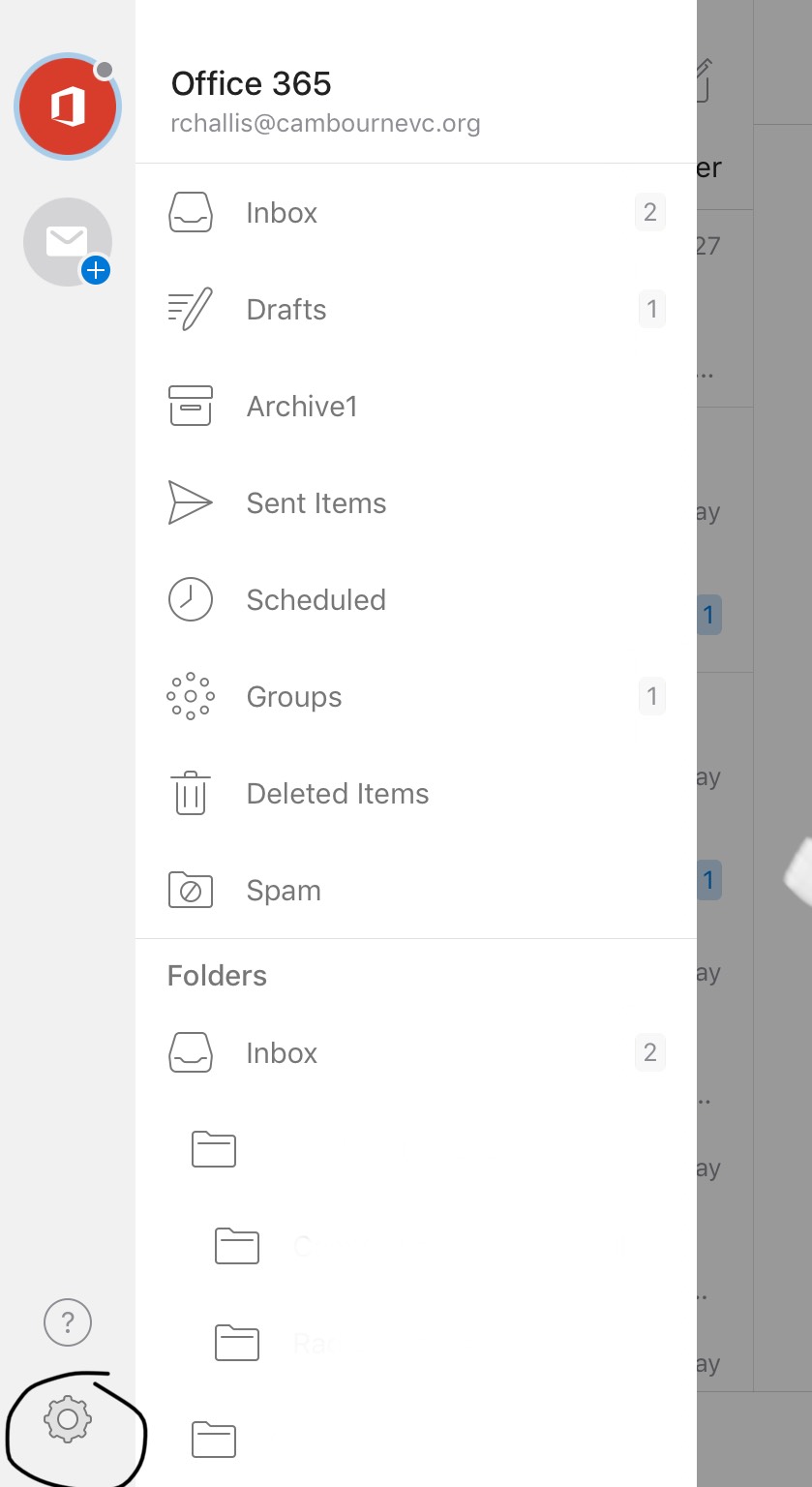
- To disable the focused inbox view from your Outlook app click the 3 bars in the top right corner of the screen.
- Select the Cog in the bottom left corner.
- In the dialog box shown above click the "Focused Inbox" switch. When it is switched to the left Focused Inbox is no longer visible on your inbox meaning all your emails come into one inbox.
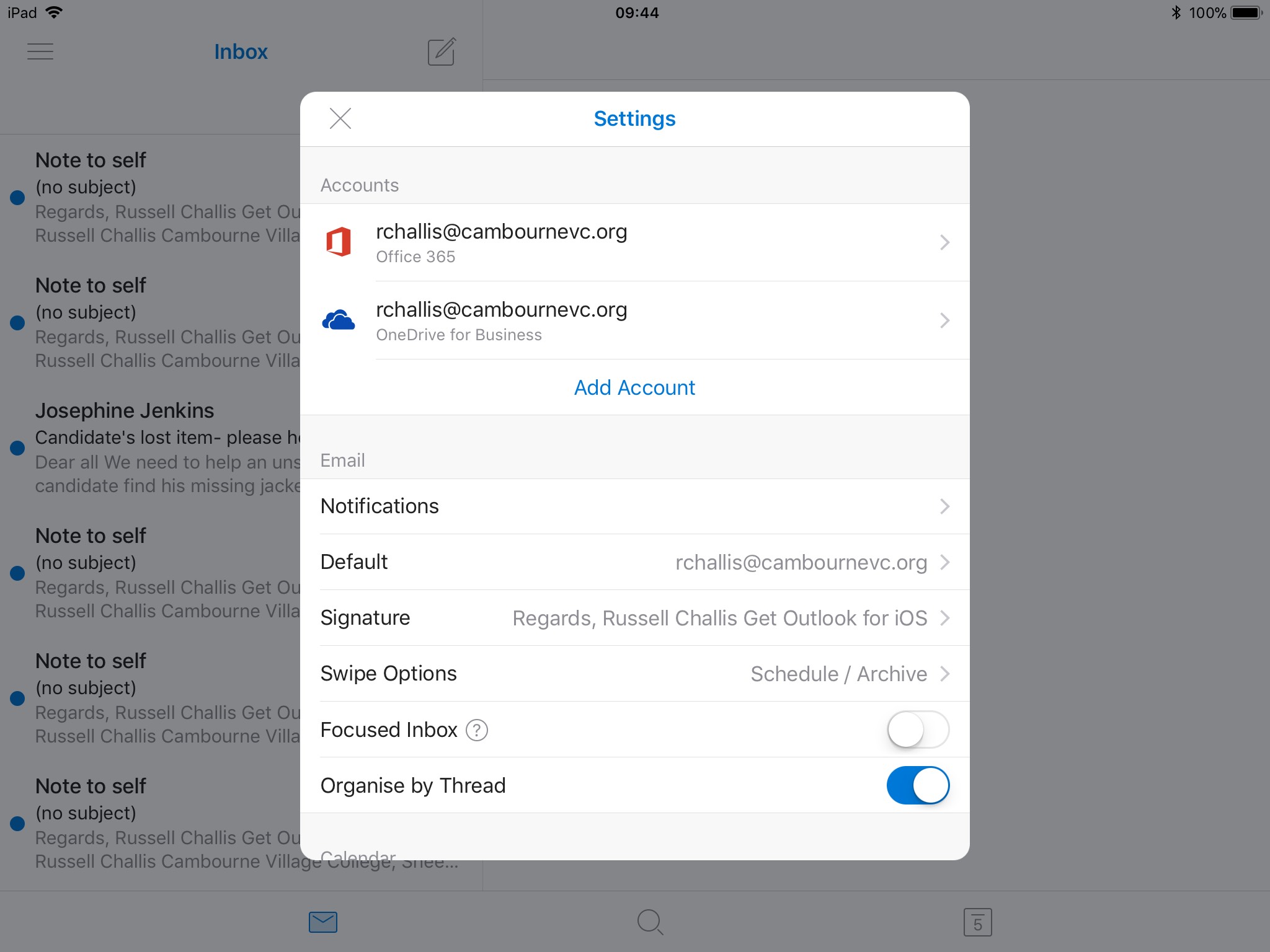
- Click the "X" in the top left corner to close this box.
Comments
0 comments
Article is closed for comments.