
When you log into the iPad with your personal Apple ID (Staff only), one that you have on a personal phone or iPad, the system may add your personal photos to the Photos app. To remove them please follow these steps:
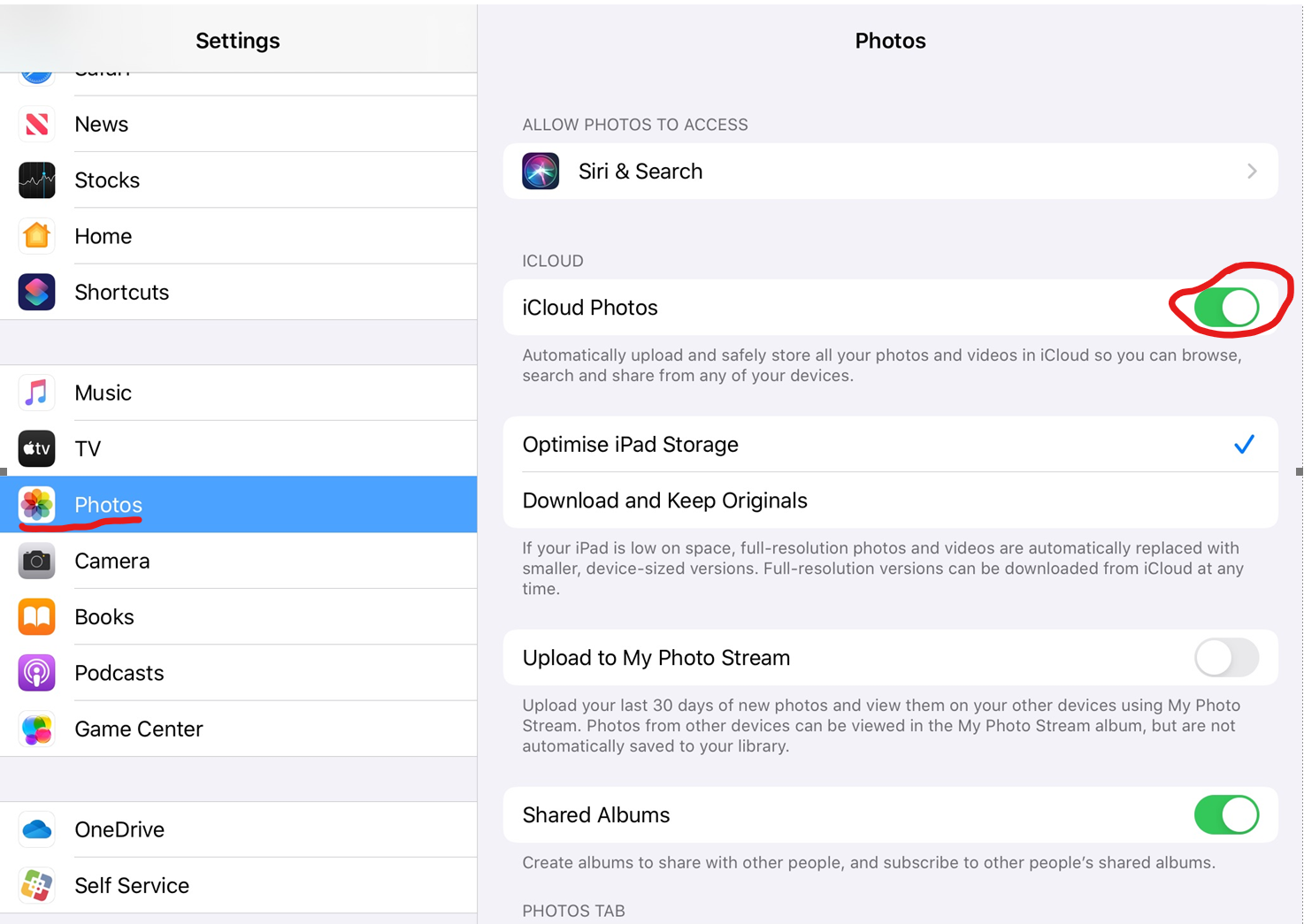
- Select Settings from the home screen

- Select Photos from the list of settings
- And on the right deselect iCloud Photos
- A message box will appear asking if you want to remove from iPad, select Yes
- Done
Comments
0 comments
Please sign in to leave a comment.