
How to take a screenshot on iPad models that don’t have a Home button
- Press the Top button and the Volume up button at the same time.
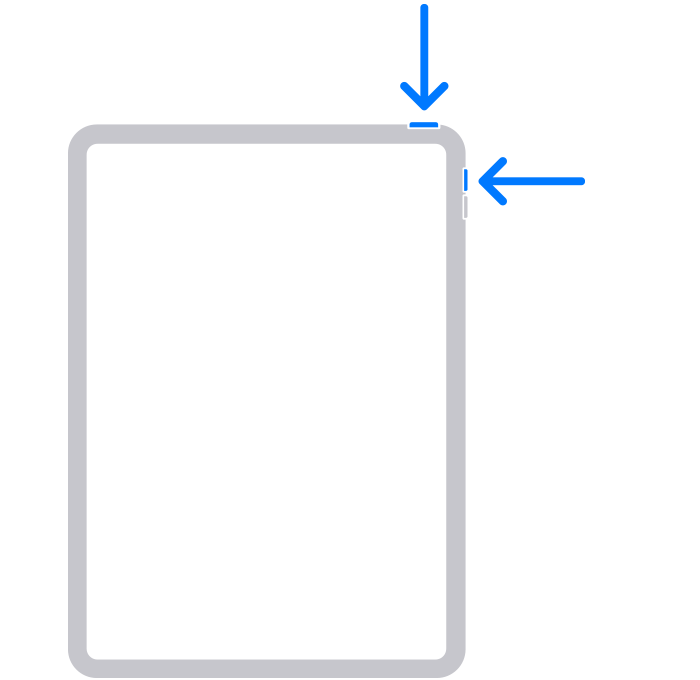
- Quickly release both buttons.
- After you take a screenshot, a thumbnail appears temporarily in the bottom left-hand corner of your screen. Tap the thumbnail to open it or swipe left to dismiss it.

How to take a screenshot on iPad models that have a Home button
- Press the Top button and the Home button at the same time.
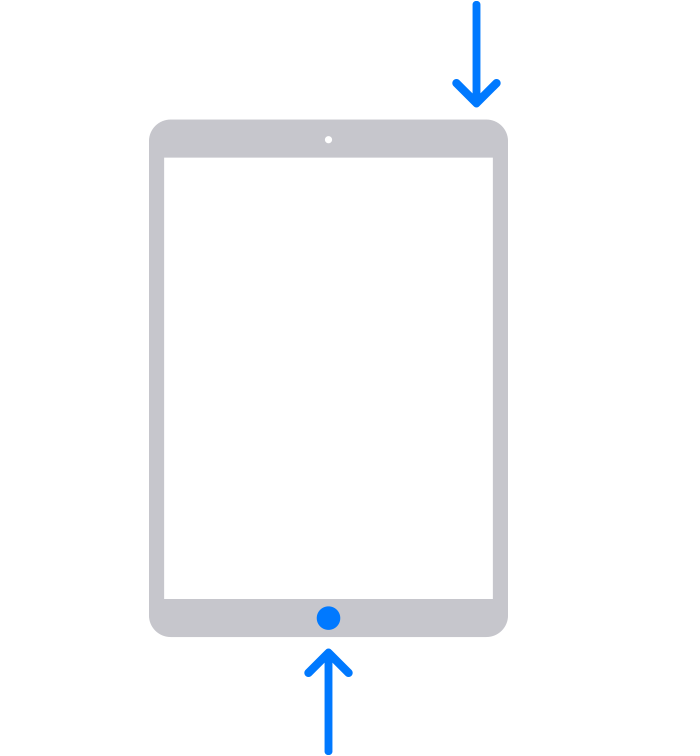
- Quickly release both buttons.
- After you take a screenshot, a thumbnail appears temporarily in the bottom left-hand corner of your screen. Tap the thumbnail to open it or swipe left to dismiss it.
Where to find screenshots
Open Photos, then go to Albums > Screenshots.
Comments
0 comments
Please sign in to leave a comment.