
Sometimes you will see a Red Cross next to a folder or file in your OneDrive.
When this happens it means that there are files that need you attention on your OneDrive/SharePoint syncs.
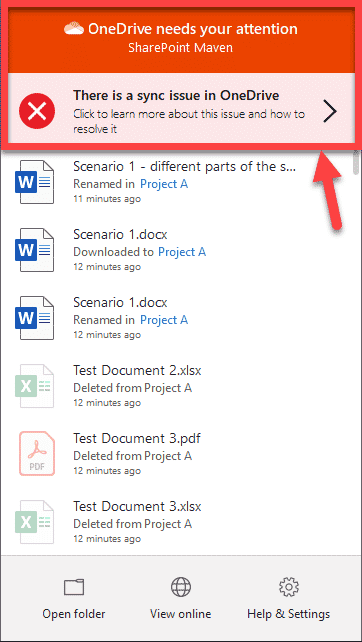
1. Click on the Blue cloud in the bottom right of you screen

2. Click on the Box with the red cross in (highlighted below)
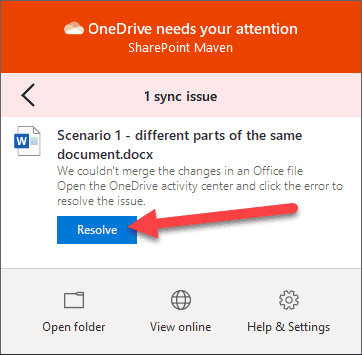
3. Click on resolve
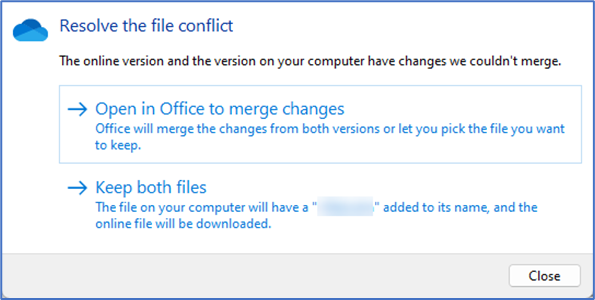
4. Choose which option you would prefer. If you are worried that someone else may have made changes to a document that won't merge just keep both files.
Comments
0 comments
Please sign in to leave a comment.