
NOTE - that formatting will get messed up during this process. Only Pages or Sections can be exported to Word, a whole notebook can only be exported to PDF or another importable OneNote file.
NOTE - Attachments will not be exported as part of the export these will need to be done manually by right clicking on them and selecting Save As... - It may be possible to export attachments if the Export format as OneNote Package but this seems to vary based on versions and Operating Systems. If an attachment is showing in the exported file please test opening the attachment to confirm it's worked as it could just be an icon with no content.
- Open OneNote
- Select the Notebook you want to export
- Optionally Select the Section or Page you want to export
- Click on File
- Select Export / What to Export / Export Format
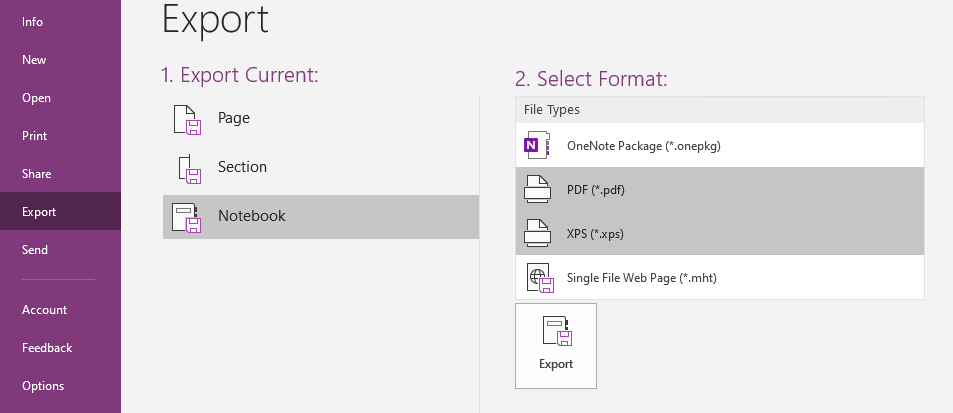
- Click on Export button
- Select a location for the file
Comments
0 comments
Please sign in to leave a comment.