Note: Only existing presenters have access to this option
- Join the teams meeting as you would normally
- Click "Participants"
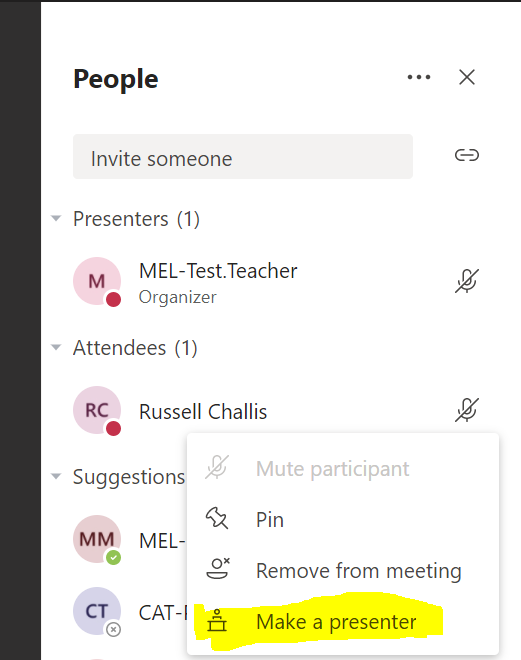
- Click the 3 dots next to the person you would like to give presentation permissions to.
- Click "Make a presenter"

Note: Only existing presenters have access to this option
Comments
0 comments
Article is closed for comments.