
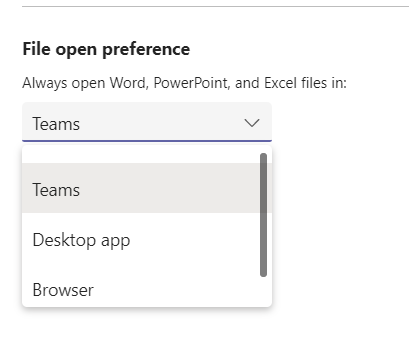
When you open an Office file in Teams (desktop), you can choose to open in Teams, in a browser window, or in the full Office app.
Now, you can set which of these is your default so you don't need to select from a list - you can do this in Teams settings.
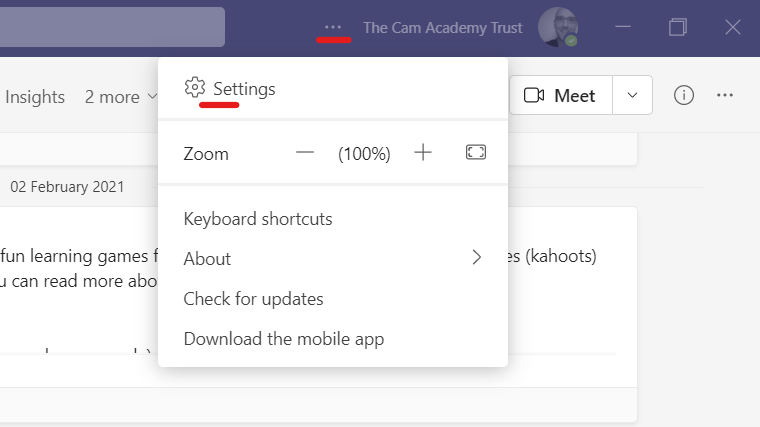
Tap the 3 dots menu and choose 'Settings'
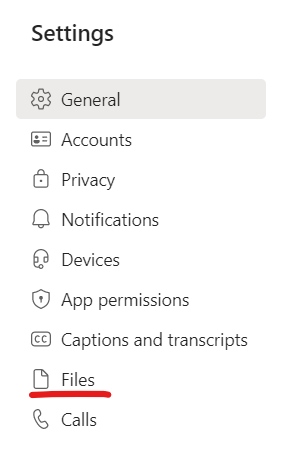
Choose 'Files'
Select your File open preference from the drop down menu
Comments
0 comments
Please sign in to leave a comment.