1. Open OneNote 2016 on your PC.
2. Right-click on the section you would like to export.
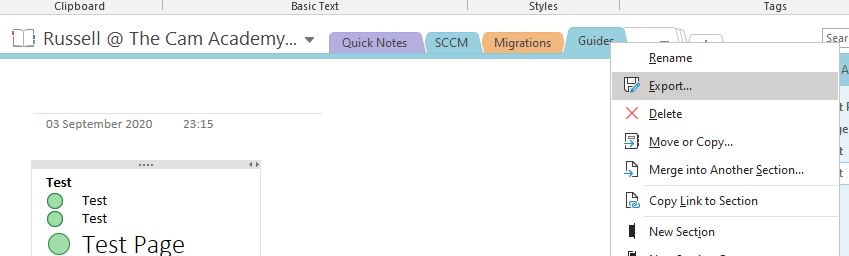
3. Click "Export" and select the location to save the exported file.

1. Open OneNote 2016 on your PC.
2. Right-click on the section you would like to export.
3. Click "Export" and select the location to save the exported file.
Comments
0 comments
Article is closed for comments.