
- Open OneNote 2016 on your pc.
- On the Home tab, look for the tags section and click the down arrow as shown in the red box below.

3. From the dropdown menu select "Customize Tags"
4. Click "New"
5. In the dialogue box, enter a name and fill out the customizations as required.
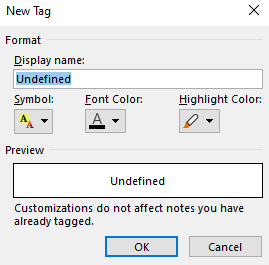
6. Click "Ok" then "Ok" again.
Comments
0 comments
Article is closed for comments.