
If an office application closes unexpectedly before you've had a chance to save the document being worked on, it is often possible to recover it.
1. Assuming the computer has crashed, start the PC and log back in with the same user account. If only the office application has crashed, ignore this step.
2. Start the Office application you were using
3. Select File > Open > Recent Items. Select 'Recover Unsaved Documents'. This option is found below the list of recently accessed documents. If you have a lot of recent docs, you may need to scroll down before 'Recover Unsaved Documents' is visible.
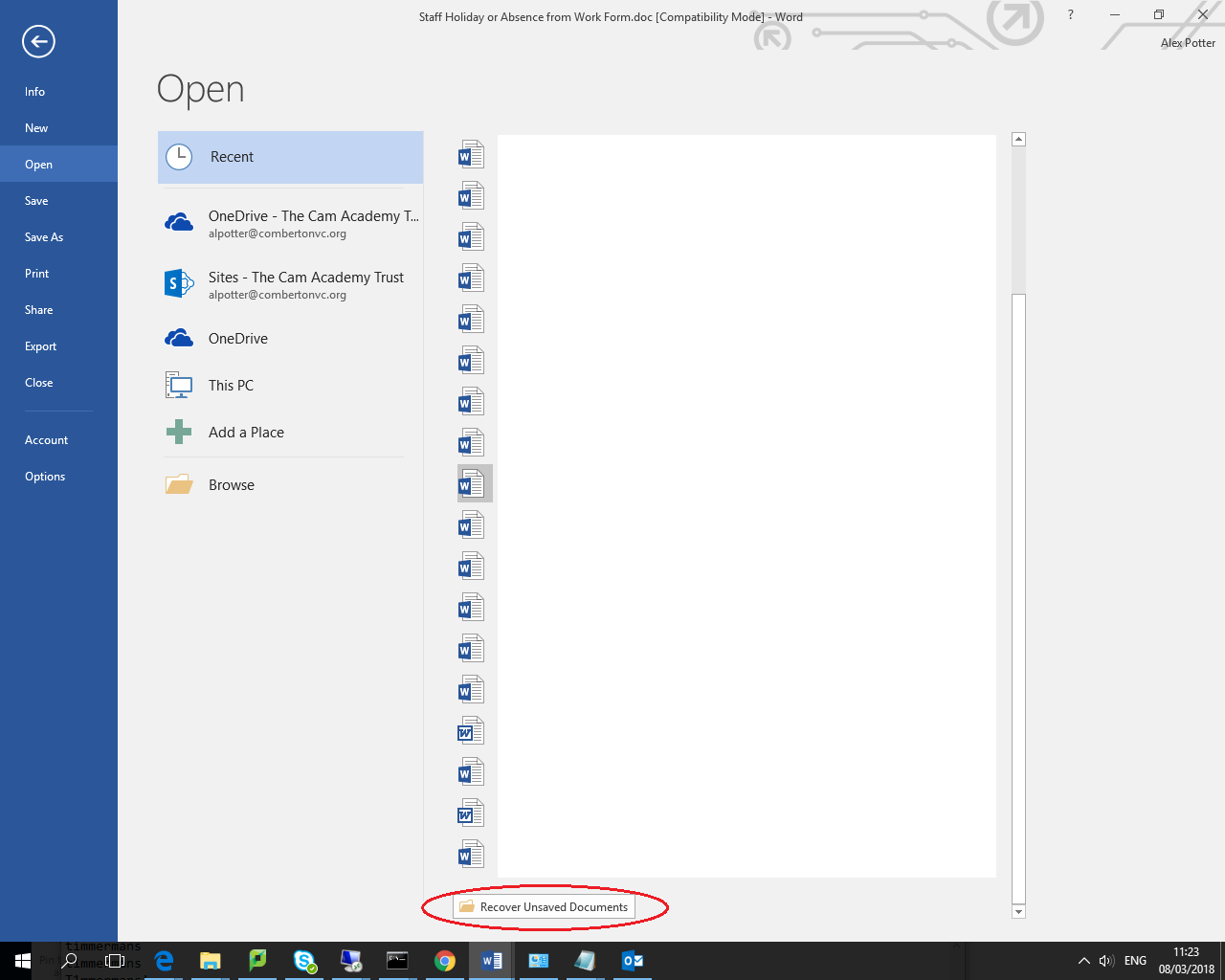
4. With any luck, your file will be available for recovery in the list that pops up.
5. Save your work!
Comments
0 comments
Please sign in to leave a comment.