
When content is shared with you from the Cam Academy Trust, sometimes we require additional authentication to ensure we are sharing as securely as possible. This is done by sending an additional email with a code before access is granted.
Once you authenticate using these instructions, your email address is added to our systems (Azure Active Directory) as a Guest user, which is used to grant you access to the content. Please see https://www.catrust.co.uk/privacy-notices for details about how we use your data.
- You will receive an email from someone at The Cam Academy Trust stating '[someone] shared the folder "[name]" with you'
- If you haven't seen the email, please check your junk folder.

- Open the email and click the 'Open' button
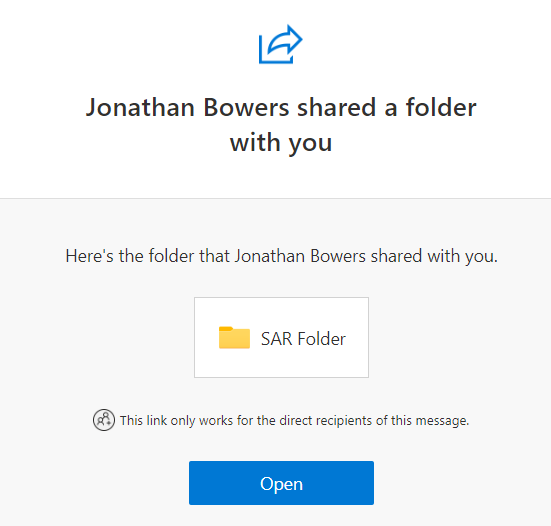
- This will open a new tab and ask that you verify your identity by sending a code to your email.
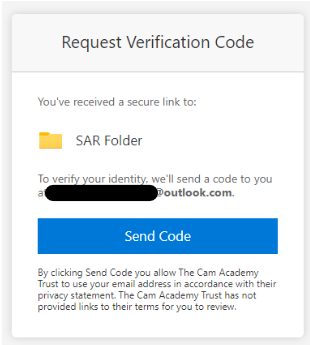
- Click the 'Send Code' button and go back to your email - the code may go to your junk folder
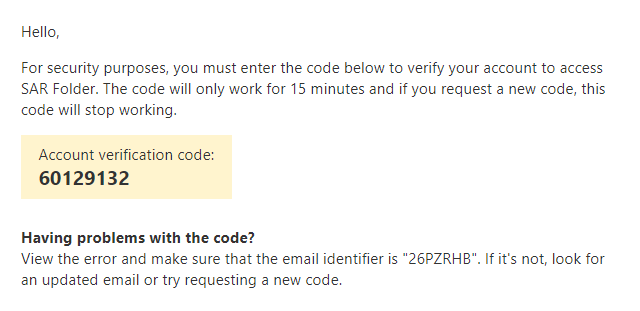
- Copy the code from your email and enter it into the box.
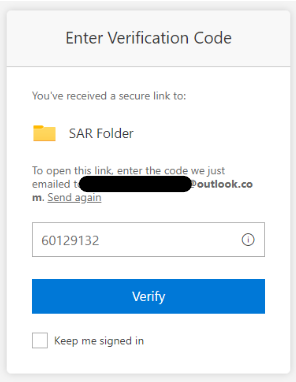
- Click verify to get access to the content
Comments
0 comments
Please sign in to leave a comment.