
To follow this guide you will need to find the text file you created when you encrypted (unless you changed the name it should be "bitlocker recovery key".
- Open the recover text file
- Highlight the 48 character recovery, right click on it and select copy
- Plug your device into your pc
- Open file explorer and click on your usb device
- On the window, like the one below, select more options and click on "enter recovery key"
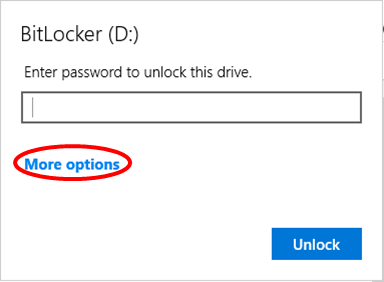
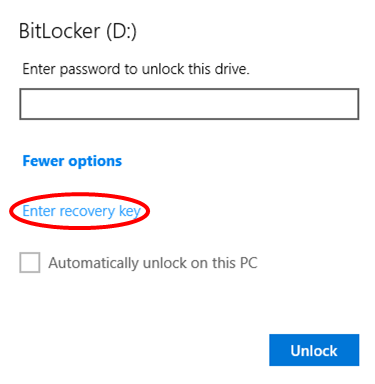
- Click anywhere inside the text field then use the keyboard shortcut Ctrl + V (hold the Ctrl key and press the letter V) to paste the previously copied Recover Key into the box.
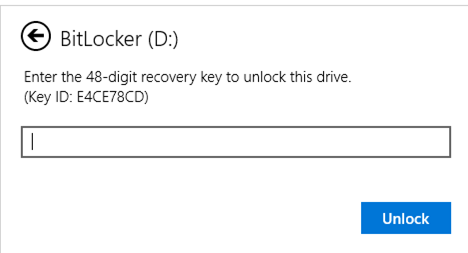
- Click Unlock
- Once unlocked, return to File Explorer and right click on your usb device and select Manage Bitlocker
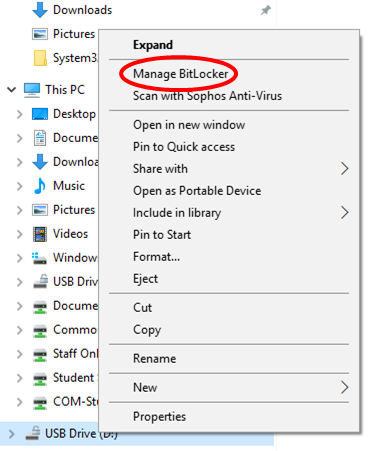
- In Bitlocker find your USB device and select "change password"
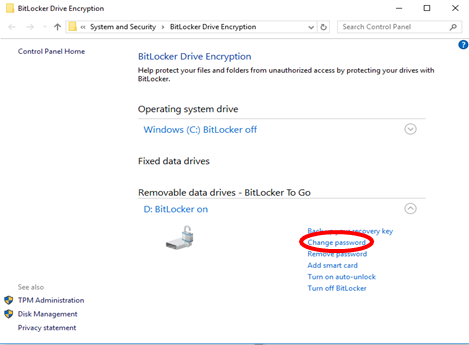
- In the new window type a new password that is at least eight characters in length, then click finish.
- Your new password has been created.
Comments
0 comments
Please sign in to leave a comment.