
On some machines an issue related to the Ricoh Print Driver causes a square notification box to appear in the bottom right regularly. This issue can be fixed very simply following the steps below:
- Login as usual and wait for the notification to appear
- In the bottom right of your screen, in the taskbar, there is a message icon as shown below (This normally will have a number in a circle).

Click the icon and the following side menu will appear:
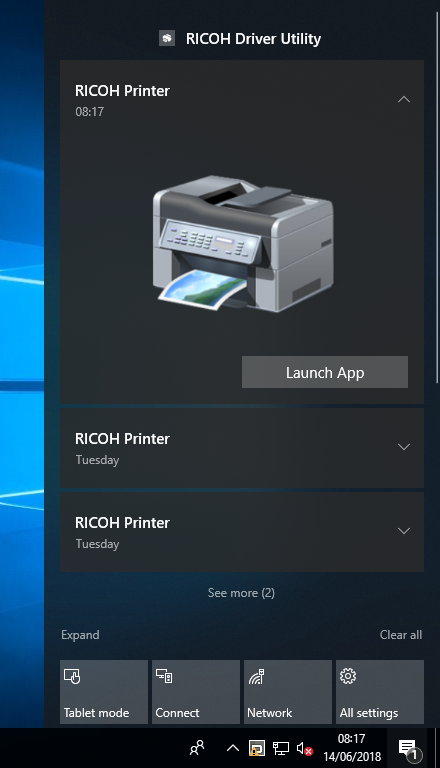
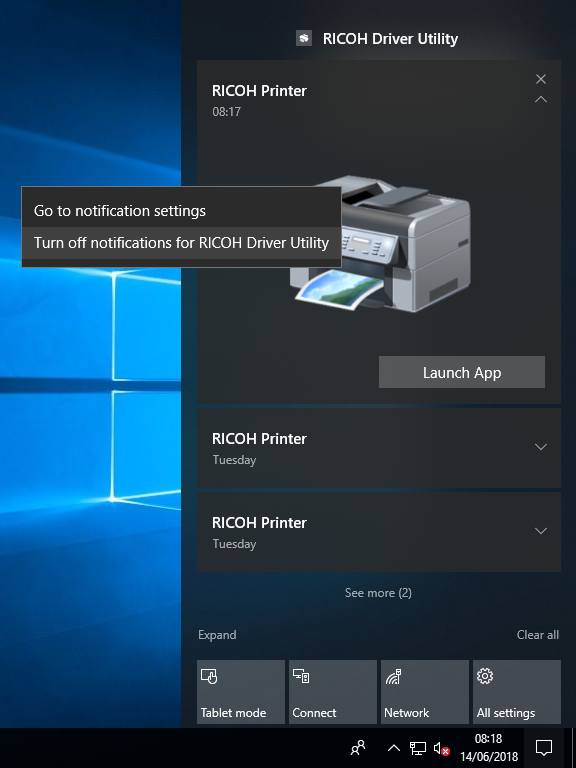
Right click on anything which says "RICOH Printer" or the picture of the printer then click "Turn off notifications for RICOH Driver Utility".
Comments
0 comments
Article is closed for comments.