
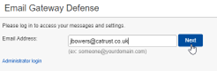
Go to https://ess.uk.barracudanetworks.com/ and login using your work email address, and press Next
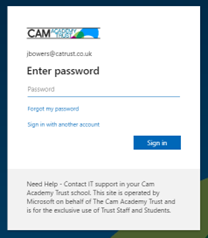
You’ll then be asked to sign in with your Microsoft Account (if working remotely, you may be asked to approve the sign in with MFA).
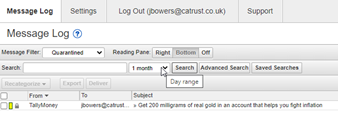
You can use the Message Log to manage mail. The Message Log page displays all email messages that come through the Barracuda Email Security Service to your account. You can filter messages by All, Allowed, UI Delivered, Not Allowed, Blocked, Deferred, or Quarantined using the drop-down menu. Note that messages are deleted after 30 days.
I recommend changing the day range (highlighted below) and selecting search to see everything.
Messages are deferred for various reasons. Click the Help icon on the Message Log page for more information as well as details on searching for and filtering messages.
From the Message Log page, select one or more messages, and then click on an action. To select all messages, select the check box at the top of the Message List.
Depending on the message filter, once you select one or more messages, you can take the following actions:
- Recategorize – When one or more categorized emails are selected, allows you to change the category. For example, if the message is categorized as Corporate but you believe it should be categorized as Marketing Materials, you can change the category via the Recategorize drop-down. This action submits this email message for recategorization to your selected category. If you select Other and enter a custom category, the category updates for that particular email message. For more information, see Email Categorization below.
- Export – Selected messages are exported to a CSV file. When prompted, enter a file name and select whether to save to your local desktop or network.
You can then select each email to view it, but you cannot release it. If you require an email to be released, please raise a ticket by emailing support@catrust.co.uk with as much information as possible:
Sender:
Recipient:
Data/Time:
Subject:
Comments
0 comments
Article is closed for comments.