
When you send an email or look in your inbox, the dates and/or times are wrong.
This is normally because when you first logged in you choose the wrong time zone, if you are a student this will need to be changed by IT Support so please contact them, if you are a member of staff you should be able to change this yourself by doing the following:
- Log into Office 365
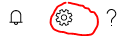
- Click on the Cog in the top right of the web page
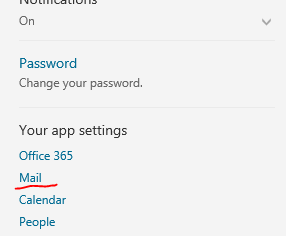
- Select Mail from the resultant list
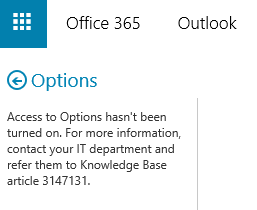
- If you are presented with the following error please contact IT Support and ask them to search the wiki for error 3147131
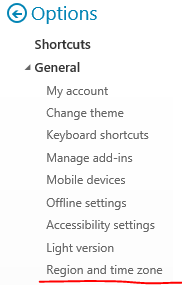
- Assuming you don't have that error you should see a list of options on the left hand side, expand out General and select Region and time zone
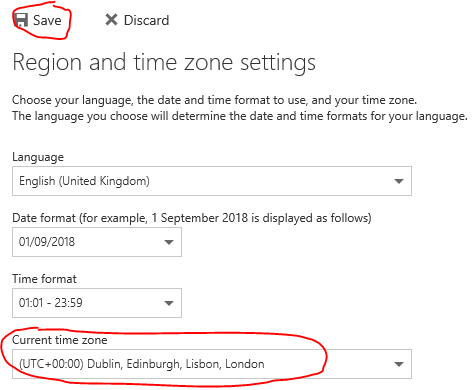
- Now on the right select English (United Kingdom) under Language and in particular select (UTC +00:00 Dublin, Edinburgh, Lisbon,London) under Current Time Zone and then press Save
- Your times should now display and send correclty
Comments
0 comments
Please sign in to leave a comment.