
This article provides the steps to use Outlook to book rooms when those rooms have been created as a resource. Please note that your IT department will have to create the rooms prior to them being available in Outlook.
1) In Outlook, open the Calendar section and select New Appointment

2) Fill out the details of the appointment and then select Location, change the address book to be Global Address List and search for your room of choice.
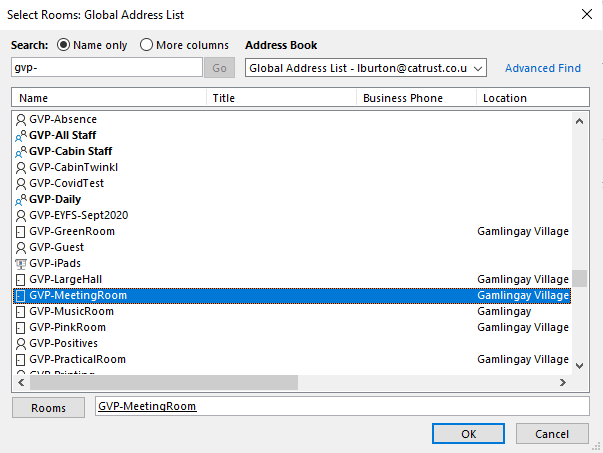
3) Once the room has been selected, add your attendees into the Optional field in the New Appointment Window and click Send.
4) You should then get a response confirming whether your booking has been accepted or declined.
Comments
0 comments
Please sign in to leave a comment.