
To disable read receipts in Outlook on Office 365 (Web version) please follow these steps
- Login to https://portal.office.com/
- Click on the Cog in the top right

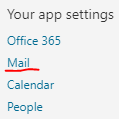
- Under Your App Settings select Mail
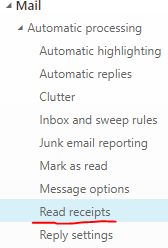
- On the left hand side you should see a load of options, if not you may have an incorrect setting that IT Support need to fix, ask them to search the wiki for error 3147131
- Select the option under Mail\Automatic Processing called Read Reciepts
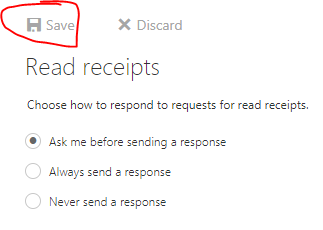
- Select the option you want and then click on Save across the top
Comments
0 comments
Please sign in to leave a comment.