
As of the begging of January 2020 we have enabled (to better protect our data) a feature in Outlook that alerts you when you are sending emails to external people, the is a prompt and does not stop the email from sending, it's to ensure you are aware that if the email contains sensitive information in this email, it is going to an external person.
This feature can be disabled in Outlook but not on Outlook for Web. Although it is strongly advised that you do not remove this message.
To disable thus message in Outlook:
- Open Outlook
- Click on File
- Select options
- Select Mail
- Select Mail Tip Options

- Scroll down to find External Recipient
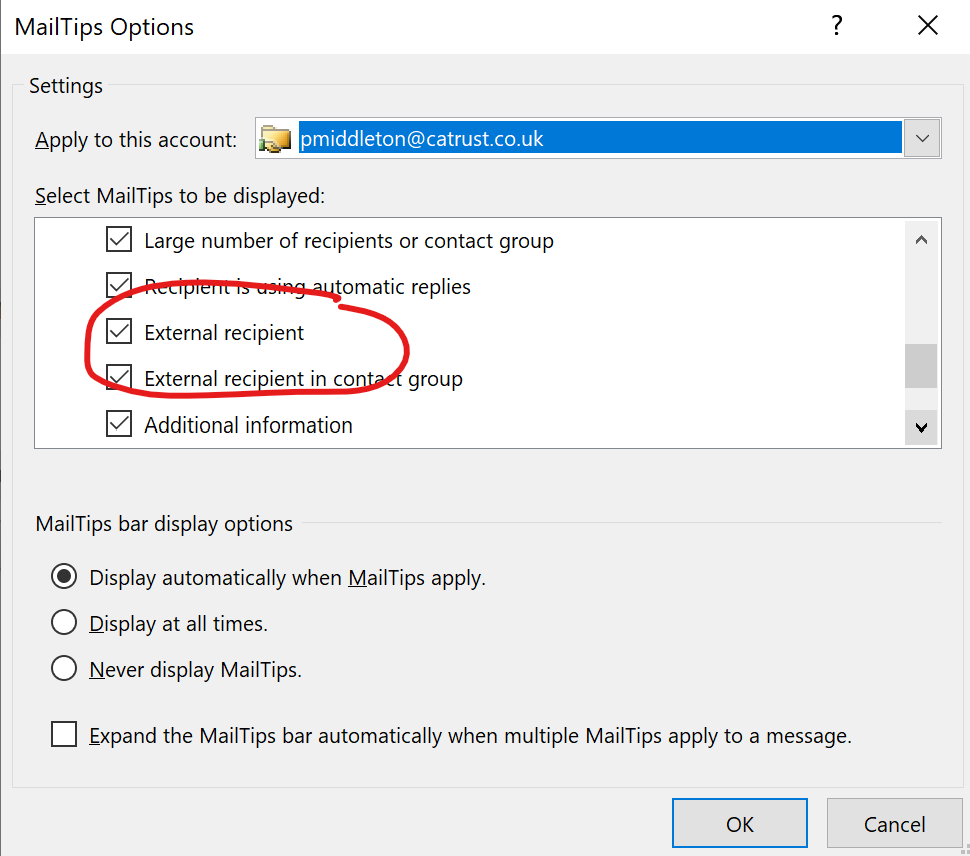
- Untick the box
- Click on OK
Comments
0 comments
Please sign in to leave a comment.