
IT recommend that you arrange Team meetings via the Teams app
Alternatively, if you want to arrange a Teams meeting through Outlook, but do not have the add in, please see the below instructions.
1. Make sure you have the Teams app installed (see: https://catrust.zendesk.com/knowledge/articles/360006710318/en-us?brand_id=114094698453)
2. Open The Teams app, click on your initials icon in the top right corner
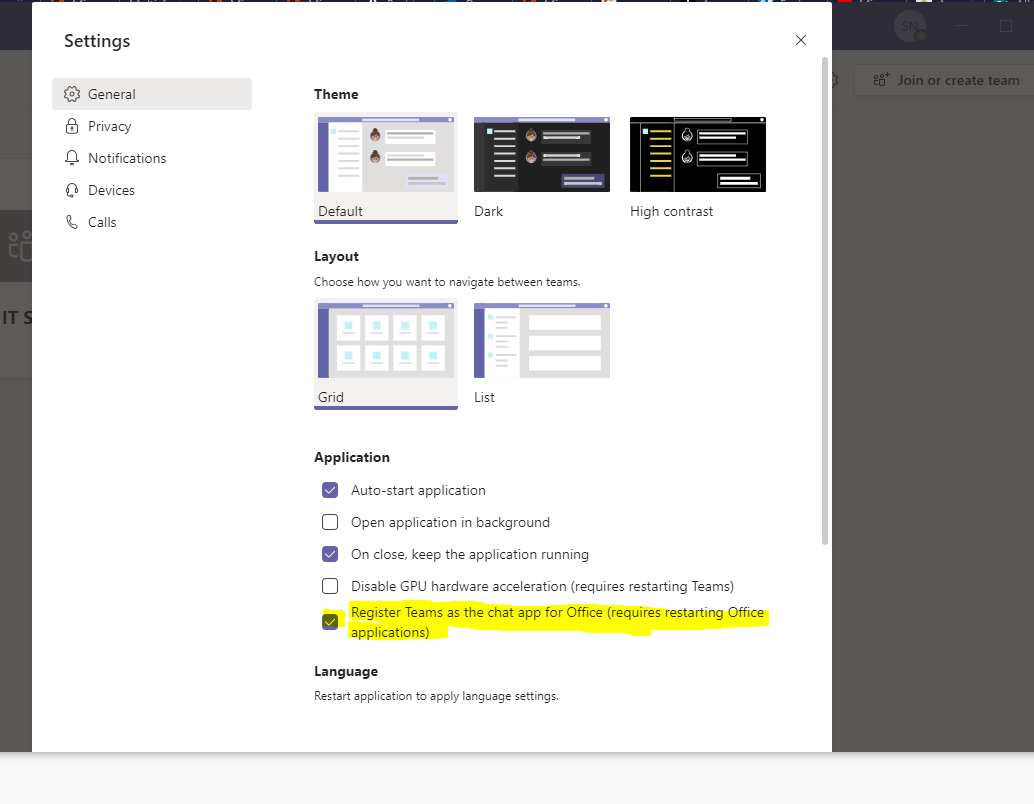
3. Select 'settings' from the list
4. Make sure 'register Teams as the chat app for Office' is ticked (last option)
5. Close and re-open Outlook
Comments
0 comments
Article is closed for comments.