
- Open Outlook
- Navigate to Calendar
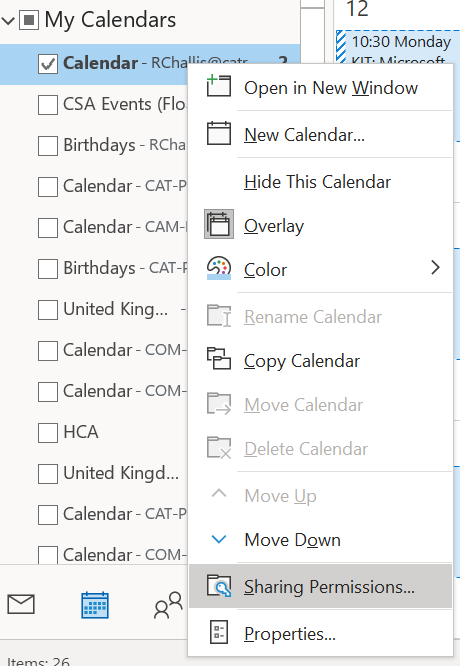
- Right-click on your calendar and click "Sharing Permissions"
4. Click "Add" and add anyone you would like to give rights to.
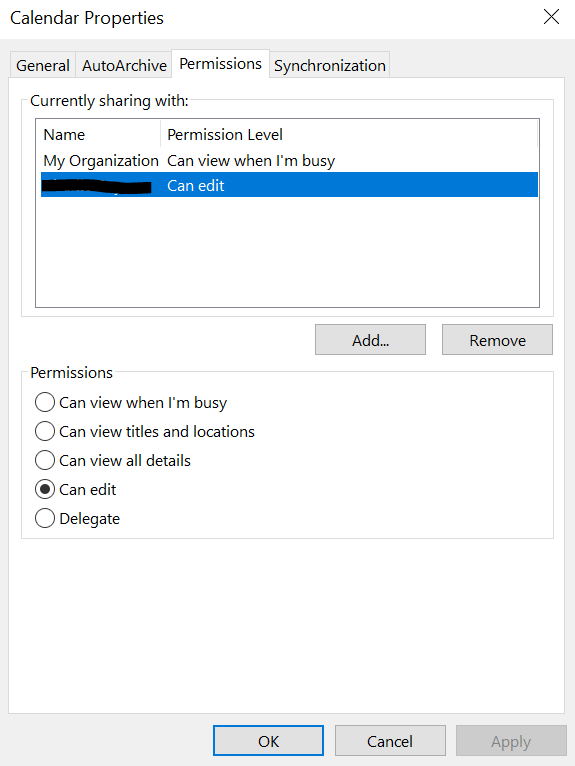
5. After the users show in the list, click their name and select the level of access you would like to grant.
6. Allow around an hour for the changes to take effect.
Comments
0 comments
Article is closed for comments.